
BricksBuddy AI uses OpenAI’s API for generation. You need your own API key.
Getting an API Key
- Go to OpenAI Platform
- Sign in or create an account
- Click Create new secret key
- Copy the key (you won’t be able to see it again)
Adding Your Key
- Go to Bricks → BricksBuddy AI
- Paste your API key in the OpenAI API Key field
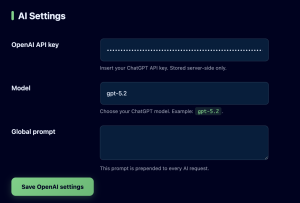
- Click Save Settings
> Important: You pay OpenAI directly for API usage. BricksBuddy AI does not charge for API calls – you only pay for your license.