
A valid license is required to use BricksBuddy AI features.
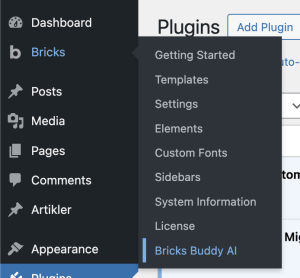
1. Go to Bricks → BricksBuddy AI
2. Enter your license key in the License field
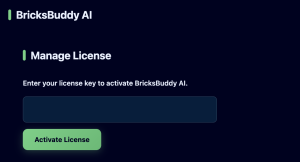
3. Click Activate
Your license status will show as “Active” when successfully activated.
> Note: Your license is tied to your domain. You can disable it via the dashboard or the same place as you have activated it